Key points
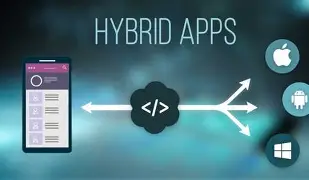
- Hybrid apps use web languages and frameworks to work on any device without specific versions per operating system.
- Its development is faster and scalable, but its performance is lower than that of native applications.
- Frameworks such as Ionic, PhoneGap, and React Native allow you to create hybrid apps with access to device functionalities.
Mobile devices such as smartphones or tablets have become the main channel of communication between people. Far away is their original functionality of calls and SMS sending, now they cover so much that the two main functionalities are no longer the objective. Visiting websites, checking social networks, WhatsApp, etc. has made companies invest as much as possible in making this way of life even easier and more accessible.
If your goal is to specialize in the creation of dynamic websites and robust applications, Deusto Formación’s online JavaScript, PHP and MySQL Programming Course offers you comprehensive preparation from scratch. This online program allows you to master three of the most widely used languages in web development today, combining theory and practice so that you can apply what you have learned immediately.
What are hybrid apps?
Hybrid apps are mobile apps designed in a web programming language either HTML5, CSS, or JavaScript, along with a framework that allows you to adapt the web view to any view on a mobile device. It is a way to create applications so that it works on different mobile devices and thus not have to create an application adapted for each of the existing operating systems.
The programming of a native and a hybrid application is totally different, but the way to use them is the same; you have to go to the application store, search for the APP you want and install. In terms of usability we will get the same if both are well programmed, but as far as performance is concerned, it is much lower in the case of hybrids, the reason is because the native ones take advantage of the device’s hardware resources in a more optimal way, on the contrary the hybrid ones cannot take advantage of it in the same way
How do you identify hybrid apps?
To identify a hybrid application, we must look at what characterizes them:
- Unified development: Developers make the same app for different mobile operating systems, unlike native ones where the programming is specific to the operating system
- Faster development: Being a unified development, development is much faster.
- Scalable: Sharing the same language as the web is very easy to be scalable and making improvements is faster.
- Games are executed differently: As they are web applications, games are not as adapted and therefore there is a lot of difference compared to native ones.
- Very slow performance: Since you can’t get the most out of the device’s performance, it makes it slower.
- Inferior UX design: The design depends on CSS and is less powerful than a native application with its own graphical interface.
Native vs. hybrid app
The main difference between native and hybrid apps is that native apps are built from the ground up for a specific operating system, while hybrid apps are built to be compatible with various platforms.
Native apps overview:
- Built for a specific mobile operating system (e.g., Apple iOS, Android)
- They have access to all the advanced native features of the target mobile device
- Better performance and security
- Need to re-code in a different language to port them to a different device ecosystem (e.g., Swift or Objective-C t for iOS, Java for Android)
- It’s easier to meet the requirements of the Apple App Store or Google Play Store
- More expensive to develop
Hybrid Apps Overview:
- Built with web technologies (e.g., HTML, CSS, and JavaScript)
- They can achieve native performance with frameworks like React Native (when compiling their JavaScript code, you could argue that it’s technically a native app)
- Achieve greater developer productivity through cross-platform compatibility
- Lower development costs than native apps
They support enough native features to work offline.
Hybrid application examples
While early hybrid apps were quite slow, advancements in web technologies and frameworks have narrowed the gap between hybrid and native performance. Examples of high-performance hybrid applications include:
Gmail – Angular
Yes, the most popular email client is technically a hybrid app. The platform uses JavaScript, AJAX, jQuery, and Vue.js on the front-end.
Twitter – React Native
Twitter boasts of its front-end tech stack with Node.js, Express, and React Native. To be more specific, it’s technically a progressive web application (PWA), a type of next-generation mobile website that delivers superior UI performance, through progressive loading of UI layers. This ensures that your app’s core content is available to users with poor connections.
Instagram – React Native
Instagram‘s timeline is technically a web view, which puts it firmly in the field of hybrid apps. The image-centric social media platform is built with React Native.
Uber – React Native
Uber uses Base, a React UI framework for the front-end of its mobile apps that basically run on m.uber.com to provide a web view on your phone.
Untappd – React Native
The famous beer sorting app runs on Ruby on Rails and other web technologies. It’s no surprise that you also use React Native for that cross-platform compatibility.
Benefits of hybrid apps
The main advantages of hybrid applications are:
Cross-platform compatibility
Hybrid app frameworks allow developers to use a common codebase on both Android and iOS devices.
Reduced development time
The increased reuse of code reduces the development time it would take to create native applications for different operating systems.
Scalability
A single codebase and cloud-native web technologies make it easy for developers to scale their applications.
Cost-effectiveness
Significant development cost savings in creating multiple versions of the same application for different operating systems.
Bridges can be used to make hybrid/native mix
When you scale a product, there may be an isolated case where hybrid development doesn’t go any further. In that case, what will be done is to program in native and “join” it with the hybrid by means of a bridge. This way you can use the best of each operating system, without the need for 100% native programming.
Learn about hybrid app development
To create a native application, you must have knowledge of the three web languages:
- HTML: For layout
- CSS: For the visual part
- JavaScript: Programming Functionality
In addition to these three languages, hybrid applications have different frameworks that help make these tasks easier:
- Ionic:
The Ionic foundation was built on top of AngularJs and Cordova, allowing the creation of hybrid apps taking advantage of the benefits of these two frameworks.
The great advantage of creating apps with Ioinic is that we have at our disposal all the Cordova plugins that give us access to mobile functionalities: camera, gps, accelerometers
- PhoneGap:
PhoneGap is a free open source framework that allows you to create hybrid mobile applications in the context of HTML5, Javascript and CSS3.
It works on Apache Cordova and allows full access to the phone’s hardware functions such as the camera, accelerometers, gps
- React Native
The particularity of this framework is that the user experience is as if it were a native application.
Practically 100% of the written code will work as a native app on any selected system (Android – iOS), although development will be done only once
These are some of the examples of how you can create a hybrid application, and together with their powerful frameworks they make this task even easier.
How are hybrid apps built?
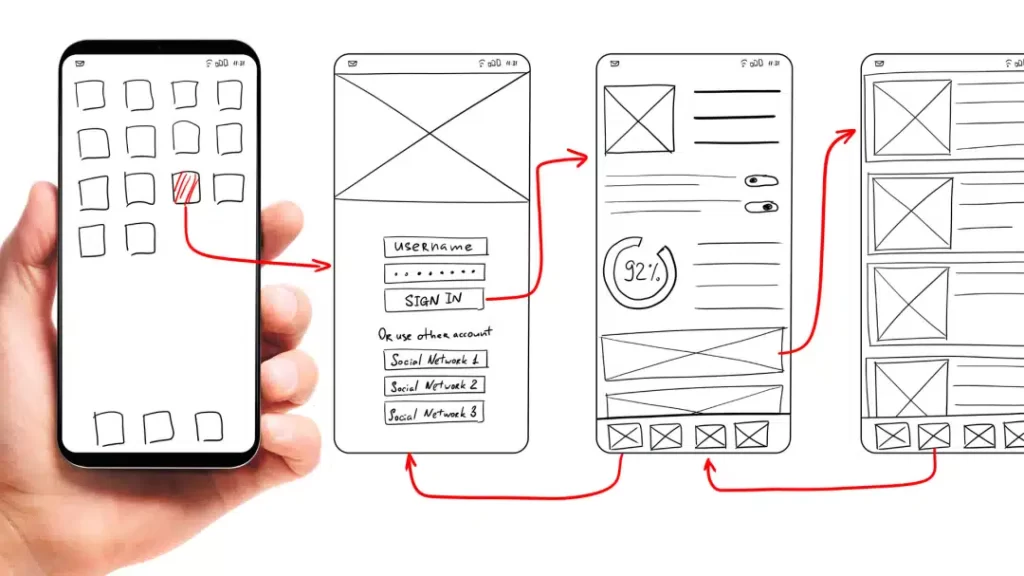
Hybrid app development is about achieving the right mix of native and web development technologies to bring your app to life. In a traditional hybrid app, the main app code is written using HTML, CSS, and JavaScript web technologies, which is then encapsulated in a container called a webview. More recently, new cross-platform app development frameworks, such as React Native, also allow JavaScript to be compiled into machine code for native performance.
Summary of the tools and technologies used to build hybrid applications:
Popular tools for building hybrid apps
While native iOS and Android apps are ideal because they’re optimized for each platform, hybrid mobile app technology is evolving, making them a more viable – and cost-effective – option for mobile app development. Hybrid apps are able to get closer to a native app experience thanks to powerful frameworks that have solved some of the limitations of hybrid apps.
Hybrid mobile app frameworks do quick work of app programming, just like traditional web app programming frameworks. They contain code libraries, APIs, and other features to make coding your app faster and easier. There are web-based frameworks, which use front-end technology like HTML, JavaScript, and CSS, and cross-platform frameworks, which take a programming language and convert the code into native code for the device.
Frameworks for hybrid applications
A big draw of hybrid app development is the ability to write the code once and use it on all mobile devices. Here are some of the most popular hybrid frameworks.
React Native
There’s a reason why many of the largest and most successful hybrid apps use React Native in their front-end technology stacks. Developed by Facebook, React Native compiles its codebase into native code. This means that you have the option to use native views instead of the traditional web view of most hybrid app frameworks. Code reuse is limited to mobile platforms, as React Web requires some tweaking to adapt it to mobile devices.
Angular
Navigation is highly dynamic and allows for the creation of complex applications that work in web view and run on all devices regardless of platform or system.
With Angular, you can create apps that are capable of running on any device and offer various features of native apps.
One of the great advantages of Angular is that its creator is Google, so continuity and the development community is more than guaranteed. This makes this system one of the favorites for app development.
Ionic
Ionic is one of the most popular hybrid app development frameworks. It uses the traditional web view approach to hybrid app development, where web-based source code is encapsulated within a web view that can interact with certain native APIs exposed through plugins.
Cordova
A single-page application (SPA) runs within a built-in mobile web browser, basically a web view. Plugins allow access to native features as needed.
Xamarin
Xamarin is Microsoft’s answer to hybrid application development frameworks. You can write your applications in C# and get full access to the benefits of the .NET development ecosystem. Xamarin has a higher learning curve, but its C# wrappers can produce native performance without sacrificing code reuse.
Flutter
Flutter is a newcomer to the hybrid application development scene. It uses the Dart programming language, which combines the faster development cycles of dynamic languages that use just-in-time (JIT) compilation with the stability and execution speed of static languages that use build-ahead (AOT). The result is a flexible framework that can achieve native performance with AOT and web interoperability with JIT.
Conclusion
At DigizoneLabs, we promote the use of hybrid technologies whenever possible, especially React Native for mobile applications and React for web applications. After all, this translates into both economic savings and considerable time when developing, without any need to lower the quality.